
Add it where the guest already pays
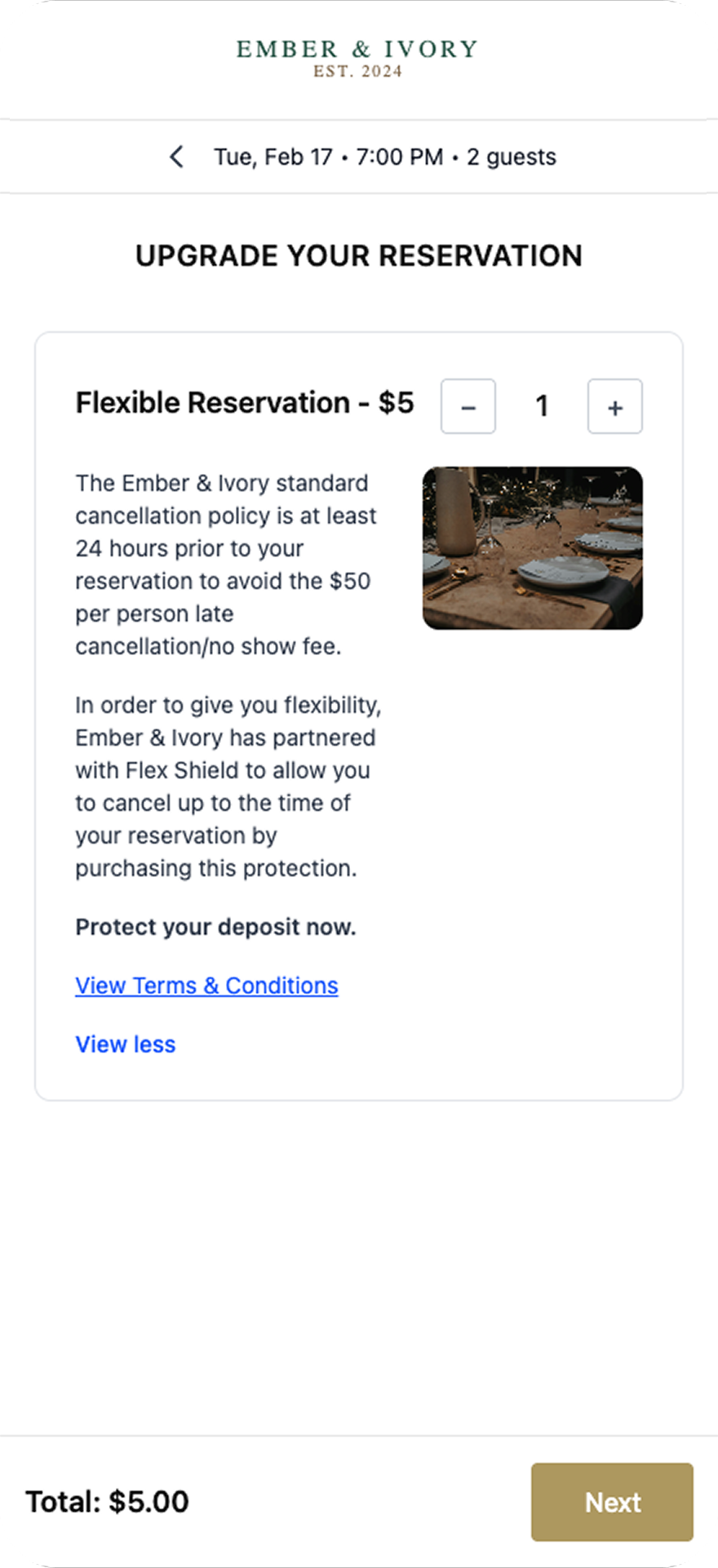
Offer reservation protection as an optional add-on during checkout. It sits in the booking flow you already have.
For businesses
Add FlexShield at checkout. Guests can cover a cancellation fee, no-show fee, or lost deposit for that reservation, and we handle the claim.
Get StartedFeatures
Protection for the reservation in front of the guest, without a membership.
Offer reservation protection as an optional add-on during checkout. It sits in the booking flow you already have.
Share the reservations guests choose to protect. We set up coverage and email them how to file, without a separate guest account.
If a guest is charged a cancellation or no-show fee, they file with us. You stay out of the reimbursement.
For businesses
Sell protection on the reservation, then let us take the claim.
The add-on fits the checkout you already run. Guests book the reservation the same way they do today.
Earn a percentage of the protection guests add at checkout.
When someone bought protection, send them our way. We review the fee and handle the reimbursement.
Guests have a path for a covered cancellation or no-show charge, instead of disputing it with you.
For guests
Add protection for a single reservation at checkout. No membership required.
If the business charges a covered fee, the guest files from the link on their confirmation.
They send documentation of the charge. We review it and email a decision.
FAQs
As an optional add-on during checkout. It can sit in your existing booking flow without sending the guest to another site to buy coverage.
A small percentage of the reservation or a flat fee per reservation.
Talk with our team and we will get you set up and walk through how covered reservations come over to us.
Look up the reservation. If they purchased protection, send them to us. We take the claim from there, and you can resend their claim link.
Get in touch

